KDP Interior Blood Pressure Log: Custom Templates
Creating a successful low-content book on Amazon KDP requires more than just uploading a generic grid; it demands intention, usability, and a distinct visual identity. The KDP Interior - Blood Pressure Log template collection addresses this need by providing fully editable source files rather than static PDFs. For creators, designers, and health-focused publishers, this distinction is critical. It shifts the workflow from passive assembly to active design, allowing you to build a product that genuinely serves the end-user while establishing your unique brand presence in a saturated marketplace.
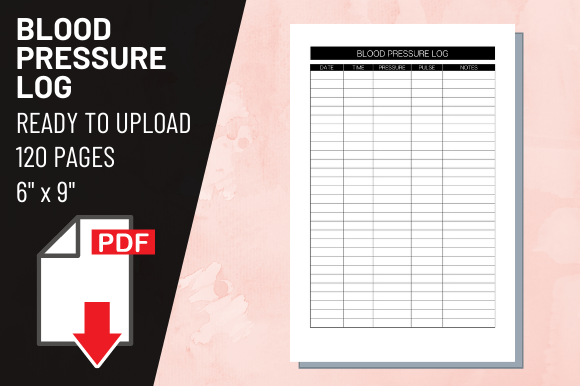
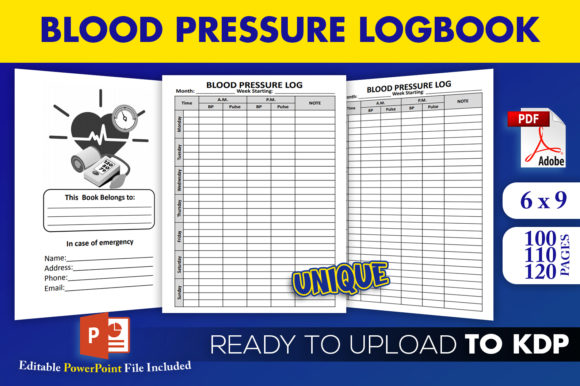
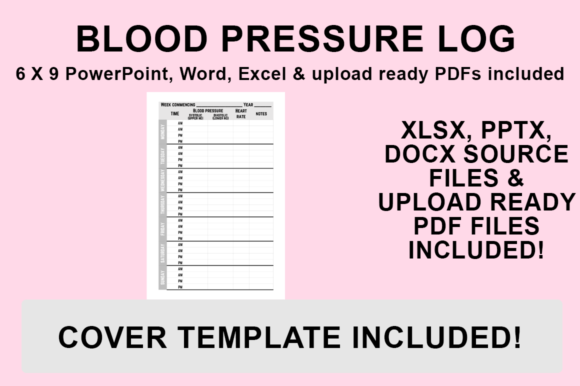
This resource includes PowerPoint, Word, and Excel source files alongside a print-ready PDF. Because these interiors are designed specifically for the 6″x9″ trim size with no bleed, they eliminate common formatting errors that plague new publishers. However, the true value lies in the malleability of the files. Whether you are a medical professional creating patient resources, a wellness blogger expanding your product line, or a freelancer building a portfolio of health-related assets, these templates serve as a professional foundation that respects both design standards and practical utility.
Why Editable Source Files Matter for Health Logs
In the realm of health tracking, clarity is not merely an aesthetic preference; it is a functional necessity. A blood pressure log must be legible for users across a wide age demographic, often including those with visual impairments or motor skill challenges. Static PDFs lock you into someone else’s design decisions regarding font size, contrast, and spacing. By utilizing editable Word and Excel files, you gain control over the user experience.
You can adjust column widths to accommodate larger handwriting, modify header fonts to match your existing brand guidelines, or add specific instructional text that aligns with your niche. For example, a log designed for postpartum hypertension monitoring has different data requirements than one intended for general geriatric care. Editable files allow you to pivot the interior content to serve these specific micro-niches without hiring a graphic designer or learning complex layout software from scratch. This flexibility ensures your KDP Interior - Blood Pressure Log remains relevant and useful, which directly correlates to better reviews and sustained sales.
Strategic Customization for Different Audiences
The versatility of PowerPoint, Word, and Excel formats opens up diverse creative applications. Consider how different audiences interact with health data and adapt the template accordingly:
- Clinical and Professional Use: If your audience consists of healthcare providers or insurance auditors, prioritize data density and standard medical terminology. Use Excel to ensure precise alignment and consider adding fields for medication dosage, pulse rate, and notes on symptoms. Keep the styling minimal and high-contrast to facilitate quick scanning during appointments.
- Holistic Wellness and Lifestyle: For journals focused on mind-body connection, soften the clinical feel. Use the PowerPoint file to introduce calming color accents, inspirational quotes, or sections for tracking stress levels, sleep quality, and dietary intake. The goal here is to make the act of logging feel like self-care rather than a chore.
- Educational and Caregiver Resources: When designing for caregivers or patients new to monitoring, use Word to add educational sidebars or tips. You might include a reference chart for blood pressure ranges or a glossary of terms. Increasing the font size and simplifying the table structure can make the log accessible to non-native speakers or those with cognitive fatigue.
- Fitness and Athletic Performance: Athletes tracking cardiovascular health may prefer a landscape orientation or integrated charts. While the base template is 6x9, the Excel source allows you to restructure data visualization to correlate BP readings with workout intensity or recovery metrics.
Maintaining Design Integrity and Usability
While customization is encouraged, maintaining professional standards is equally important. A poorly formatted health log can frustrate users and damage your reputation as a publisher. As you modify the KDP Interior - Blood Pressure Log, adhere to principles of functional design. Ensure that writing lines have adequate spacing—typically at least 0.25 inches between rows for handwritten entries. Avoid using light gray lines for tables if possible; they often fail to print clearly on standard KDP paper. Instead, opt for thin black lines or subtle colors that reproduce well in grayscale.
Consistency builds trust. If you choose a specific sans-serif font for headers, carry that typographic choice throughout the entire book. Align margins precisely to prevent content from drifting into the gutter, especially crucial for the 6x9 format where inner margin space is limited. Remember that "no bleed" means all content must stay within the safe zone. Use the guides provided in the source files to verify that your custom graphics or added text do not encroach on the trim area. Testing your modified file by printing a single page at actual size before finalizing can save costly proofing rounds later.
Technical Workflow: Exporting for KDP Success
The transition from editable source file to upload-ready asset must be handled correctly to preserve your formatting. Even minor discrepancies between screen display and PDF output can result in rejected manuscripts or misaligned interiors. Follow this standardized process to ensure your customized Blood Pressure Log meets Amazon’s technical specifications:
- Finalize Your Edits: Open your desired PowerPoint, Word, or Excel file and complete all customizations. Double-check fonts, margins, and any added graphics. Ensure all changes are saved in the native format first as a backup.
- Navigate to Save As: Go to the ‘File’ menu and select ‘Save As’. Do not use ‘Export’ unless necessary, as ‘Save As’ typically offers more granular control over PDF settings in Microsoft Office applications.
- Select Destination: Choose a dedicated project folder for your KDP assets. Organizing files by project prevents version confusion, especially when managing multiple interior variations.
- Choose PDF Format: From the ‘Save as type’ dropdown menu, strictly select PDF (.pdf). Avoid selecting PDF/A or other archival formats unless specifically required, as standard PDF preserves the interactive and visual elements best for KDP printing.
- Verify and Save: Click Save. Before uploading to KDP, open the newly created PDF to verify that page size is exactly 6x9 inches, fonts are embedded, and no content has shifted. The file is now ready for upload.
Beyond the Template: Adding Unique Value
To truly distinguish your publication in a competitive category, view the template as a starting point rather than the final product. Successful KDP creators often combine multiple PDF files to create comprehensive health companions. You might merge the Blood Pressure Log with a separate medication tracker, a daily gratitude journal, or a symptom diary to create a holistic health management tool. Because the included PDF is print-ready and sized correctly, combining documents using free or paid PDF merging tools is seamless.
Consider adding proprietary graphics or branding elements that cannot be easily replicated by competitors. Custom illustrations, unique border designs, or specialized tracking icons created in PowerPoint can transform a utilitarian log into a desirable keepsake. For marketers and bloggers, these interiors also serve as effective lead magnets or bonus content. Offering a digital version of the log (formatted for tablet use) alongside the physical KDP book creates an omnichannel experience that deepens audience engagement.
Ultimately, the power of this KDP Interior - Blood Pressure Log collection lies in its balance of structure and freedom. It removes the technical barriers to entry while demanding thoughtful input from the creator. By investing time in customization, audience research, and quality assurance, you move beyond commodity publishing and create a resource that offers genuine value. In the health and wellness niche, where trust and utility are paramount, this deliberate approach is what separates fleeting trends from enduring, helpful products.